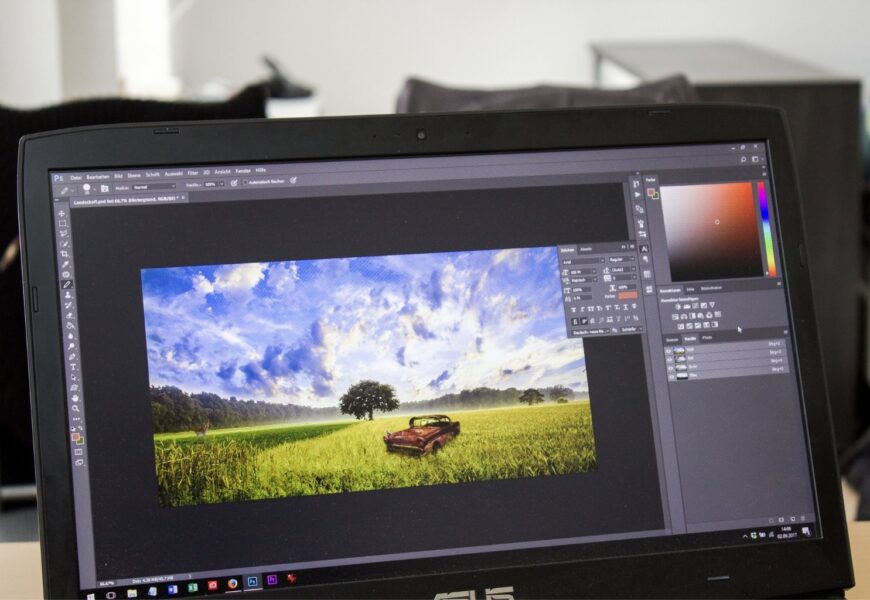
Instagram has become one of the most powerful social media tools used by people, creators, brands, and companies. If you wish to advertise products or services, share travel photos, or build a personal brand – good-quality images are what you need to get noticed. In this case, photo editing software will be helpful.
Nowadays, there are a variety of editing tools which allow users to edit their images, add special effects, cut out backgrounds, modify color settings, and create amazing posts. In addition to that, many creators use apps to make Instagram posts since they provide people with editing tools along with templates, fonts, stickers, and AI assistance.
In order to find an all-in-one solution, it is important to know about various types of editing tools which will help to pick the best photo editing software. The guide introduces the key features, benefits, and options for creativity along with popular tools for Instagram.
Why Photo Editing Software Matters for Instagram
Instagram is a visual-based social networking site where first impressions are key. With hundreds of pictures scrolling each day, the user will have seconds to catch their interest in your post. Good-quality photos will increase your chance of having them stop, interact, and engage with your photos.
Using modern photo editing software allows individuals to make their pictures more appealing without requiring any technical design skills. It can help you edit any type of picture whether it be a product or just a simple portrait photo.
Not only will it help improve the visual appeal of the picture, but it can also improve the brand recognition of the individual because it will maintain consistency in color, font, filters, and layout.
Choosing the Right Apps for Making Instagram Posts
A significant number of people choose to use dedicated applications to create Instagram post content because all the features related to editing, graphic design, templates, and publishing are combined in a single application.
Some common features include:
Ready-Made Templates
Templates eliminate the need to design everything from scratch. Users can customize colors, fonts, icons, and images while maintaining a polished and consistent appearance throughout their Instagram feed.
Professionally designed templates also help businesses create promotional graphics, announcements, product launches, and seasonal campaigns quickly.
Social Media Dimensions
Instagram supports multiple image sizes, including square, portrait, landscape, reels, and stories. Good editing applications automatically resize designs for different formats, preventing cropping issues after uploading.
This feature saves time while ensuring every post looks clean across all devices.
Brand Kits
Many modern editors allow businesses to store their logos, brand colors, typography, and graphics inside one workspace. This makes it easier to maintain consistency across every Instagram post without recreating branding elements each time.
Consistent branding improves audience recognition and creates a more professional appearance.
Essential Features in Apps to Create Instagram Posts
The best apps to create Instagram posts go beyond simple photo editing. They combine design tools with creative assets that help users produce engaging social media content.
Here are some important capabilities.
Typography Tools
Strong typography improves communication and captures attention. Good editing applications provide hundreds of fonts, text effects, spacing controls, and alignment options that help users design professional-looking captions and promotional graphics.
Proper typography also improves readability and creates a visually balanced composition.
Graphic Elements
Icons, shapes, stickers, gradients, and illustrations help make Instagram posts more dynamic. Instead of relying solely on photographs, designers can combine visual elements to communicate messages more effectively.
These creative assets are particularly useful for promotional posts, educational content, announcements, and product launches.
Layer-Based Editing
Advanced editing applications support layers, allowing users to independently modify text, graphics, images, and backgrounds. Layer editing provides greater flexibility when designing complex Instagram graphics.
This feature is especially valuable for businesses creating advertisements or branded promotional materials.
Why an Image Creator for Instagram Saves Time
A dedicated image creator for Instagram simplifies the design process by offering built-in templates, drag-and-drop editing, stock photos, icons, and creative assets.
Instead of switching between multiple applications, users can design complete Instagram posts within a single platform.
Some major advantages include:
- Faster content creation because pre-designed templates reduce manual work and allow creators to focus on customization instead of starting from a blank canvas. This significantly improves productivity for businesses managing multiple social media accounts.
- Improved design consistency through reusable layouts, brand colors, and saved templates. Maintaining a consistent visual identity strengthens brand recognition and makes your Instagram feed look more organized.
- Collaboration features enable marketing teams, designers, and content creators to work together efficiently. Shared workspaces allow multiple users to review, edit, and approve designs before publishing.
Benefits of Using an Instagram Post Maker App
An instagram post maker app provides everything needed to design attractive social media graphics directly from a smartphone or desktop.
These applications are especially useful for entrepreneurs, influencers, freelancers, and businesses that regularly publish content.
Some of the biggest advantages include:
Faster Workflow
Users can edit images, insert text, add branding, and export finished designs within minutes. This streamlined process allows creators to publish consistently without spending excessive time on design.
Better Visual Quality
Professional editing tools improve image sharpness, colors, lighting, and composition, resulting in posts that stand out in crowded Instagram feeds. Higher-quality visuals often lead to better engagement and stronger audience retention.
Increased Creativity
Modern applications include AI-generated suggestions, creative templates, animation options, and design assets that inspire new content ideas. Even beginners can create visually impressive graphics without advanced design experience.
Best Types of Photo Editing Software for Instagram Creators
Choosing the right photo editing software depends on your goals, experience level, and the type of content you create. Some users only need basic editing tools, while others require advanced features for professional marketing campaigns.
Beginner-Friendly Editors
If you’re just starting your Instagram journey, beginner-friendly editors are a great choice. They offer simple interfaces, one-click enhancements, and drag-and-drop functionality that make editing easy without requiring professional design skills.
These tools are ideal for personal accounts, bloggers, students, and small businesses looking to improve their content quickly. Many also include AI-powered recommendations that automatically adjust lighting, colors, and composition.
Professional Editing Software
Professional creators and photographers often need advanced editing capabilities. These platforms provide precise color correction, layer-based editing, masking tools, retouching options, RAW image support, and advanced export settings.
Although they have a steeper learning curve, they offer greater creative freedom and produce high-quality results suitable for commercial projects and professional branding.
Online Editing Platforms
Cloud-based editing platforms have become increasingly popular because they don’t require powerful hardware or software installation. Users can access their projects from multiple devices and collaborate with team members in real time.
Online editors are especially useful for businesses managing social media campaigns, allowing designers, marketers, and clients to review and edit projects together.
Common Mistakes to Avoid When Designing Instagram Posts
Even with the best photo editing software, poor design decisions can reduce the effectiveness of your Instagram content. Avoiding common mistakes helps maintain a professional appearance and improves audience engagement.
Using Too Many Filters
Applying excessive filters can make images appear unnatural and inconsistent. Instead, use subtle adjustments that enhance the original photo while preserving realistic colors and details.
Maintaining a consistent editing style across your posts also creates a cohesive Instagram feed that reflects your personal or business brand.
Ignoring Image Resolution
Low-resolution images often appear blurry or pixelated after uploading. Always export your designs using high-quality settings that meet Instagram’s recommended dimensions.
Sharp and detailed visuals create a more professional impression and encourage users to engage with your content.
Overcrowding the Design
Adding too much text, too many stickers, or unnecessary graphics can overwhelm viewers. A clean and balanced layout allows the main subject to stand out while making the message easier to understand.
White space is an important design element that improves readability and creates a modern, polished look.
Inconsistent Branding
Changing colors, fonts, and editing styles in every post makes your profile look unorganized. Establish a consistent visual identity by using the same brand colors, typography, and editing style throughout your content.
Consistency helps followers recognize your posts instantly and strengthens your overall brand image.
How to Choose the Best Photo Editing Software
With so many editing tools available, selecting the right photo editing software may seem challenging. Instead of focusing only on popularity, evaluate each option based on your specific needs.
Consider Your Skill Level
Beginners benefit from intuitive interfaces and AI-powered editing, while experienced designers often prefer advanced tools with manual controls and professional features.
Choosing software that matches your experience level helps you work more efficiently and reduces the learning curve.
Check Available Features
Before selecting an editor, compare features such as background removal, object erasing, color correction, templates, typography tools, collaboration options, and AI enhancements.
The more versatile the software, the easier it becomes to create different types of Instagram content without switching between multiple applications.
Mobile and Desktop Compatibility
Many creators work across multiple devices. Selecting software that supports both mobile and desktop editing provides greater flexibility and allows you to continue projects wherever you are.
Cross-platform compatibility also improves productivity for teams and businesses managing multiple social media accounts.
Export Quality
Always ensure the editor exports high-resolution images suitable for Instagram. High-quality exports preserve image clarity, improve visual appeal, and maintain professional presentation after uploading.
Tips for Creating Engaging Instagram Posts
Whether you’re using apps for making Instagram posts or professional editing software, following a few design best practices can significantly improve your results.
- Focus on a Clear Subject
Every Instagram post should have one main focal point that immediately captures attention. Eliminating distractions helps viewers understand your message quickly while making the overall design more visually appealing. - Use Consistent Brand Colors
Selecting two or three primary colors creates a recognizable visual identity across your Instagram profile. Consistent branding also makes your content appear more professional and memorable. - Write Readable Text
Choose fonts that are easy to read on mobile devices and avoid placing text over busy backgrounds. Proper spacing, contrast, and font size improve readability and user experience. - Optimize for Mobile Viewing
Most Instagram users browse on smartphones, so ensure your graphics remain clear and attractive on smaller screens. Test your designs before publishing to confirm that important elements remain visible. - Experiment with Different Formats
Mix single-image posts, carousels, infographics, quotes, promotional graphics, and educational content to keep your feed interesting. Variety encourages higher engagement and prevents your profile from feeling repetitive.
Why AI Is Changing Instagram Content Creation
Artificial intelligence has become one of the biggest innovations in modern photo editing software. AI tools automate repetitive editing tasks while helping creators produce high-quality visuals faster than ever before.
AI-powered features can automatically remove backgrounds, improve lighting, eliminate unwanted objects, enhance image quality, generate creative layouts, and recommend design improvements. These capabilities save time without compromising professional quality.
As AI technology continues to evolve, content creators will have even more opportunities to produce visually compelling Instagram posts with minimal effort.
Frequently Asked Questions (FAQs)
What is the best photo editing software for Instagram?
The best photo editing software depends on your editing requirements. Beginners may prefer simple editors with templates, while professionals often choose advanced software that offers layer-based editing, AI enhancements, and detailed color correction.
Why should I use apps for making Instagram posts?
Apps for making Instagram posts simplify the design process by providing ready-made templates, graphic elements, typography tools, and social media dimensions. These features help users create attractive posts more efficiently.
Are apps to create Instagram posts suitable for businesses?
Yes. Many apps to create Instagram posts include brand kits, collaboration features, scheduling tools, and customizable templates that help businesses maintain consistent branding across all social media content.
What does an image creator for Instagram do?
An image creator for Instagram combines photo editing, graphic design, templates, stock assets, and branding tools into one platform. This allows users to create professional-looking Instagram posts without needing advanced design experience.
Is an Instagram post maker app useful for beginners?
Absolutely. An instagram post maker app is designed to make content creation simple through drag-and-drop editing, AI-powered suggestions, customizable templates, and easy export options. Beginners can produce attractive social media graphics with very little learning.
Conclusion
Engaging Instagram content creation is more than just sharing good-looking pictures. The selection of appropriate photo editing software is what will enable the creators, firms, social media influencer, and marketing professionals to generate great content that will draw attention and ensure participation from the audiences.
Whether you want to use applications for Instagram posts, sophisticated applications for Instagram posts, smart image creator for Instagram, or Instagram post maker application, picking the appropriate software according to your needs could really make a difference.
With the rise of new editing technologies such as artificial intelligence and cloud collaboration, there are more chances than ever for the creators to create professional Instagram posts effortlessly.