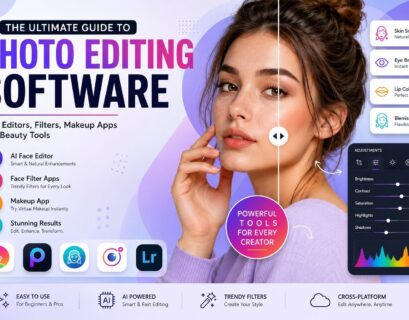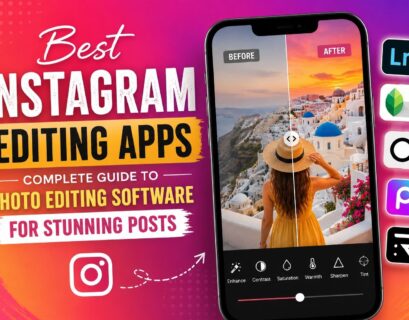

Nowadays, digital photography has become a critical tool in personal, professional, and business activities. If you use a camera to capture pictures for sharing on social networks, create advertisements for businesses, manage an eCommerce website, etc., it means that the quality of your photos matters. This is why photo editing software becomes necessary.
With the help of photo editing software today, users can turn mediocre photos into appealing pictures by applying color correction, removing backgrounds, retouching objects, removing unwanted things, sharpening images, adding filters and effects, and many other techniques. Nowadays, anyone who isn’t a professional graphic designer can edit his photos. Numerous applications offer users a user-friendly interface while also featuring sophisticated options for experts.
This guide will tell you all about selecting the right photo editing software and what features to consider while choosing photo editing software. We will talk about free photo editing software and even the best free alternatives to Adobe Photoshop and other professional programs. In addition, we will help you choose a photo editing program according to your skills level.
Why Photo Editing Software Matters
The picture itself can narrate a lot before even one word is written. Companies use edited pictures to promote products and sell more of them; photographers make sure their portraits look great in order to make their customers impressed; content creators are making visuals in order to engage more people via different social media sites.
With photo editing software, people have an ability to brighten up photos, to get rid of anything unnecessary, to saturate colors, to cut photos in a perfect way, to create professional-looking pictures not having to spend tons of money on special devices.
What is Photo Editing Software?
A photo editing software is a computer program that helps in improving photographs through various techniques. It enables users to fix errors, adjust lighting, change colors, remove backgrounds, edit images, apply filters, and get images ready for printing or uploading on the internet.
The software can be basic for beginners or more complex, including functions like layers, masks, RAW editing, AI-based features, and more.
No matter how experienced you are, you will find a software that suits your editing needs.
Key Aspects to Consider in Photo Editing Software
1. Easy-to-Use Interface
An intuitive user-friendly interface ensures that editing is both easy and efficient. Newbies will appreciate an easy to understand interface, guided editing tools and custom work spaces which minimize the learning process.
With time, professional panels, key shortcuts and even custom layouts contribute to increased efficiency while keeping the software user friendly.
2. Non-Destructive Editing
Among the best features available in most editing applications is the ability to edit photos in a non-destructive manner. In this case, all modifications and changes made are stored separately and can be reviewed and edited any number of times at any time you wish.
This means that photographers can play around with the photo without worrying about destroying its original file.
3. Layer Support
Using layers gives one absolute creative freedom in image editing. They help users to incorporate several objects into one image, put various graphics there, include text, use special effects and make some changes in certain parts of the picture without changing the whole image.
For professional marketers, social media managers or artists, the ability to work with layers is almost necessary.
4. AI-Powered Editing
Intelligent image editing refers to using artificial intelligence to automatically edit your photos in a matter of minutes by eliminating background, removing objects, improving image quality, fixing blurs and adding realistic enhancements.
5. RAW File Support
Professional photographers shoot pictures using RAW format because all information about the image remains. Editing programs supporting RAW allow photographers to change the exposure, shadows, highlights and color balance of their pictures.
6. Export Flexibility
An effective editing software must provide flexibility in exporting photos to various formats including JPG, PNG, TIFF, WebP, and PDF. Flexibility in export gives the user an advantage of preparing images for use in websites, social media platforms, printouts, slideshows, and eCommerce sites.
Controlling size, compression, and quality of images helps in achieving that.
Different Types of Photo Editing Software
Not every editing application is built for the same audience. Understanding the different categories helps you choose software that aligns with your goals.
Beginner Editors
These applications focus on simplicity and speed. They usually include automatic enhancements, filters, cropping tools, and basic adjustments that make photo editing accessible to everyone.
Professional Editors
Professional software includes advanced capabilities like layers, masks, smart objects, color grading, batch processing, and precision retouching. These applications are commonly used by photographers, designers, agencies, and creative professionals.
AI-Based Editors
Artificial intelligence simplifies repetitive editing tasks by automating background removal, object replacement, portrait enhancement, and image restoration. AI-powered solutions continue to become smarter with every update.
Browser-Based Editors
Cloud-based editing tools eliminate software installation requirements. Users can upload images directly into a browser, make edits, and download completed files from virtually any device with internet access.
Best Free Alternatives to Photoshop
Many people are on a quest to find the best free software alternatives to Photoshop since they require a number of features in editing without having to subscribe to premium plans. There are quite a few options that offer great capabilities for editing purposes.
These applications usually have a number of features like layers, masking, selecting tools, retouching, filters, text editing, exporting and other features which may suit both beginners and advanced users alike. While there may be certain features that are exclusive to Photoshop, many people find that these alternatives do an equally good job for their daily editing requirements.
Free Photo Editing Software Worth Exploring
If you’re looking for free photo editing software, you’ll be pleased to know that today’s free editors offer far more functionality than they did just a few years ago.
Many free applications include essential tools like:
- Color correction and exposure adjustment with intuitive controls that help improve overall image quality. These features make it easier to fix underexposed or overly bright photographs while maintaining natural-looking colors.
- Cropping, resizing, and image rotation options that allow users to prepare photos for websites, social media, presentations, and print materials. Flexible aspect ratios also simplify platform-specific image optimization.
- Background removal and object erasing capabilities that help create cleaner compositions for product photography, marketing visuals, and professional presentations. AI-assisted tools can significantly speed up this process.
- Filters and creative effects designed to add artistic styles, improve mood, and create visually appealing content. Users can experiment with different looks while maintaining complete control over editing intensity.
The availability of advanced free photo editing software means beginners can learn editing techniques before investing in premium applications.
Choosing a Program to Alter Photos
The process of finding a suitable application that can be used to edit pictures should not only be determined by the number of features an application comes with, but should be determined by the purpose of editing such pictures.
In case you edit mostly holiday pictures and those from family gatherings, then you would probably not need a professional application for this. But photographers using RAW images and business firms creating product catalogs will require a professional application.
Photoshop Similar Free Tools: Are They Good Enough?
There are quite a number of people who go in search of photos similar free tools on the internet since they need the same editing functions but don’t wish to invest in expensive programs.
In today’s world, there is so much change when it comes to such software. Some of them have incorporated many features including layers, adjustment tools, masking, healing brushes, cloning, text manipulation, and filters among others.
While some features might require you to pay, most individuals find out that a photos similar free tool meets all their needs regarding photo editing.
How Businesses Use Photo Editing Software
Businesses across nearly every industry rely on professional editing tools to maintain visual consistency and strengthen their brand identity.
eCommerce Product Photography
Online stores require clean, high-resolution product images with consistent lighting, white backgrounds, and accurate colors. Proper editing increases customer confidence and improves marketplace compliance across platforms like Amazon, Shopify, and Etsy.
Real Estate Photography
Property images benefit from brightness adjustments, perspective correction, sky replacement, and color balancing. Professionally edited real estate photographs help listings appear more inviting and increase buyer interest.
Social Media Marketing
Brands regularly create promotional graphics, advertisements, stories, reels, and carousel posts using editing software. Consistent visuals improve brand recognition while attracting more engagement across multiple social platforms.
Portrait Photography
Portrait photographers use advanced retouching techniques to enhance skin tones, remove blemishes, improve lighting, and create polished images without sacrificing natural appearance.
Tips for Selecting the Right Editing Software
Before choosing any editing application, evaluate your long-term goals instead of focusing solely on current needs.
- Consider your experience level and how quickly you want to learn advanced editing techniques. Software that grows alongside your skills often provides better long-term value than applications designed only for beginners.
- Think about your primary editing tasks, whether they involve product photography, portraits, social media graphics, digital art, or business marketing. Different workflows require different tools and features.
- Compare available tutorials, learning resources, and community support. Well-documented software with active user communities makes troubleshooting easier and accelerates skill development.
- Verify system compatibility, cloud storage alternatives, file format compatibility, and update intervals. Reliable software should remain stable while continuing to introduce useful improvements over time.
Conclusion
Selecting the appropriate software for photo editing requires the consideration of many factors such as the user’s experience, objectives and the nature of work involved in the process of editing photos. Thankfully, the current market offers a wide variety of options suitable for different levels of skills and experience.
If you are a beginner, it would be advisable to consider using reliable photo editing software at no cost and familiarize yourself with different ways of photo editing before venturing into the more expensive programs. If you are looking for the best free alternative to Photoshop, then there are several options available.
Whichever program one uses, whether it is to change photos or look for the best photos similar to Photoshop, learning the basics will always yield better outcomes compared to using the automatic editing option.