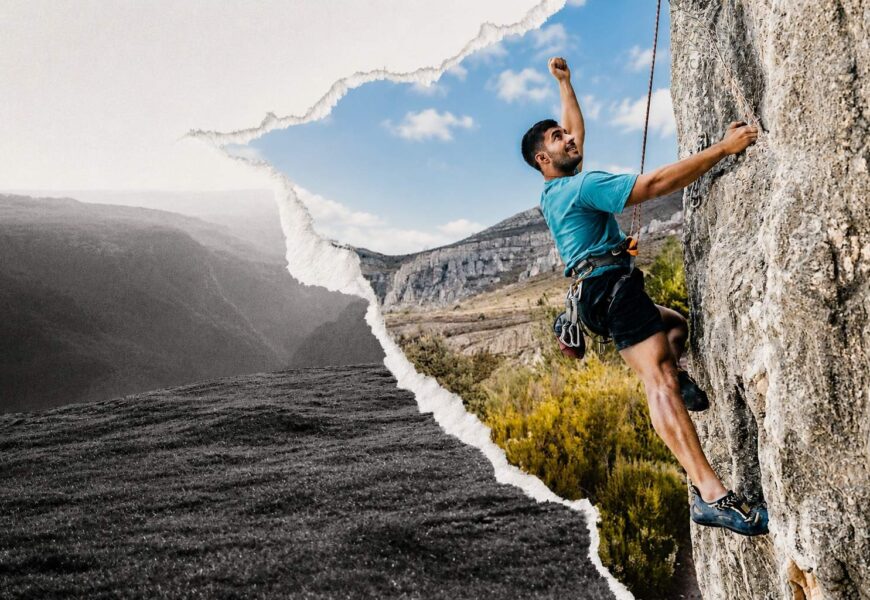
Visual content created today goes way beyond conventional photography. Modern artists, designers, marketers, and other creative professionals utilize photography manipulation techniques to turn regular photographs into impressive visual creations. From creation of fantastic landscapes to promotion of advertisements, making graphics for social media accounts and filming of scenes – all these things are possible using photography manipulation.
Thanks to the development of modern technologies, photography manipulation became much easier to achieve. Using special software, artificial intelligence, and creativity, artists are able to combine several images, modify lightening conditions, create unbelievable effects, and even make artworks which cannot be captured by any camera.
For many creative professionals, photography manipulation technique becomes the means of transferring from the world of photography into digital arts. This technique includes the combination of skills and an artistic vision of the creator who is capable to develop impressive visual masterpieces.
In this guide, we will cover the topic of photography manipulation, importance of Photoshop in contemporary digital arts, useful techniques, and the way artists create incredible visual masterpieces.
Understanding Photography Manipulation
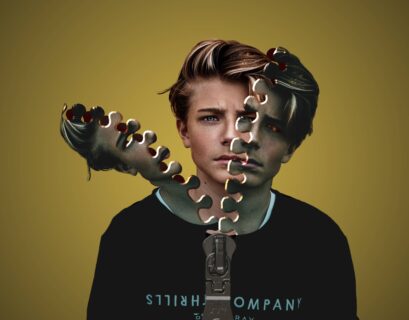
Essentially, photographic manipulation entails modifying or improving the photograph in order to create a different final image from what was initially captured. This can be done in any way depending on what the objective is.
Photography manipulation can include:
- Removing unwanted objects
- Combining multiple photographs
- Adjusting colors and lighting
- Creating fantasy environments
- Adding artistic effects
- Building commercial advertising visuals
- Producing cinematic compositions
- Developing conceptual artwork
Whereas conventional photography involves editing for corrections, manipulation in photography is mostly aimed at telling a story or creative transformation.
Professionals in art apply the technique of manipulation in photography to produce images that arouse the emotions of people.
Why It Is Necessary To Manipulate Photos Nowadays
Today, visual content is crucial for the digital environment. Marketers, influencers, companies, business owners, advertisers and many others work with high-quality images in order to communicate with their target audience.
Photography manipulation allows artists to:
Enhance Brand Storytelling
Through Photography Manipulation, businesses will have an opportunity to present visuals which will help them deliver their message and connect with the audience better.
Save Production Costs
Creators don’t need to organize several shoots with different locations and models anymore as they can use various photos and create one professional image which will allow them to reduce budget costs but not reduce the quality of the visuals.
Increase Creative Freedom
Nowadays, artists aren’t limited to the weather conditions or some other physical factors while working on an image as they can create imaginative visuals.
Improve Marketing Performance
High-quality visuals will help businesses boost the performance of their marketing campaign as such photos will attract more attention from people.
Because of these advantages, photography manipulation has become a critical skill in modern visual communication.
The Role of Photoshop in Photography Manipulation
When discussing Photography Manipulation, one software dominates the conversation: Adobe Photoshop.
Photoshop has become the industry standard because it provides powerful tools for image editing, compositing, retouching, painting, and digital illustration.
Professional designers often combine photography manipulation techniques with advanced Photoshop workflows to achieve exceptional results.
The software offers:
- Layer-based editing
- Smart Objects
- Masks
- Selection tools
- AI-powered enhancements
- Color grading capabilities
- Digital painting tools
- Advanced compositing features
These capabilities make Photoshop an essential tool for both beginners and experienced professionals.
Adobe Photoshop for Digital Art: The Foundation of Creative Expression
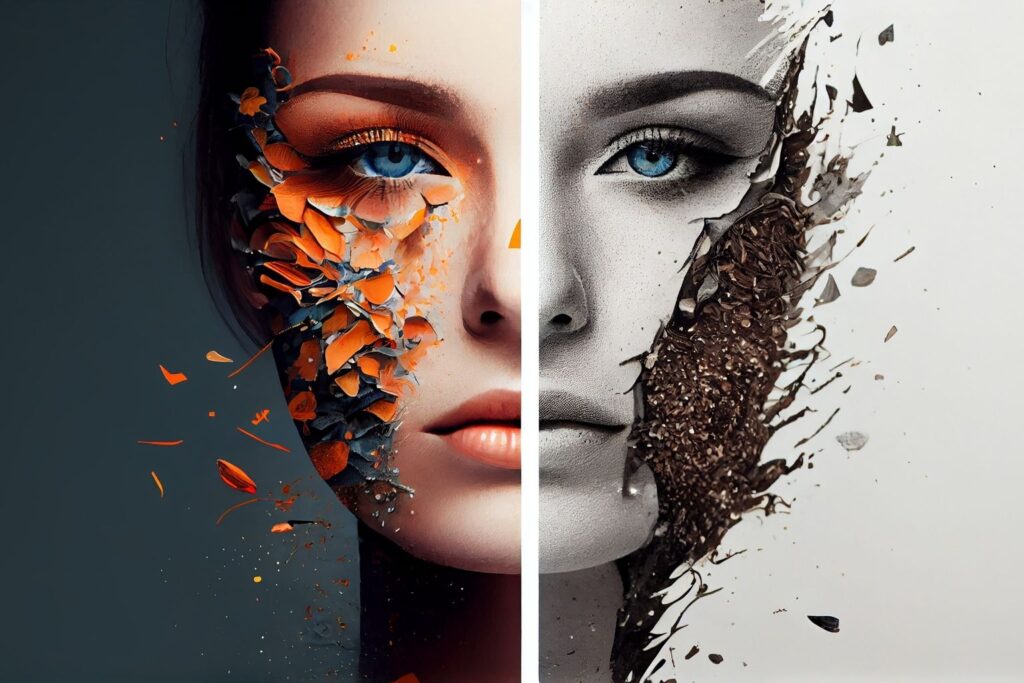
Many artists begin their creative journey using adobe photoshop for digital art because it provides flexibility and control over every aspect of image creation.
With adobe photoshop for digital art, creators can:
- Transform photographs into artistic illustrations
- Build fantasy scenes
- Create concept art
- Design marketing visuals
- Produce social media graphics
- Develop unique visual identities
The ability to combine photography manipulation with digital illustration techniques makes Photoshop one of the most versatile creative applications available today.
Artists often use layers, masks, adjustment tools, and blending modes to create complex visual compositions that appear seamless and realistic.
Adobe Photoshop for Digital Painting: Bringing Imagination to Life
Another important area is adobe photoshop for digital painting. Digital painting allows artists to create artwork directly inside Photoshop using brushes, textures, and drawing tablets.
Benefits of adobe photoshop for digital painting include:
Unlimited Creativity
Artists can create entire scenes, characters, and environments from scratch without relying on traditional art supplies. This freedom encourages experimentation and allows ideas to evolve throughout the creative process.
Easy Corrections
Mistakes can be fixed instantly using layers, masks, and Photoshop’s undo functionality. This non-destructive workflow helps artists refine their work without starting over.
Professional Workflow
Digital painting integrates seamlessly with photography manipulation and image editing techniques. Artists can combine painted elements with photographs to create realistic and visually engaging compositions.
Commercial Applications
Industries such as gaming, advertising, publishing, and entertainment regularly use digital painting for creative projects. These techniques help professionals produce concept art, marketing materials, and promotional visuals efficiently.
By combining photography manipulation with adobe photoshop for digital painting, creators can develop highly detailed artwork that blends realism, creativity, and professional-quality design.
Digital Artwork Photoshop: Where Photography Meets Design
The term digital artwork photoshop refers to creative works produced using Photoshop’s extensive editing and artistic tools.
Digital artwork Photoshop projects can include:
- Character design
- Poster creation
- Advertising graphics
- Fantasy environments
- Social media campaigns
- Product visualizations
- Editorial illustrations
Photography manipulation plays a major role in digital artwork Photoshop workflows because photographs often serve as foundational elements.
Artists can extract subjects, blend environments, create lighting effects, and apply artistic treatments to transform ordinary photos into professional artwork.
As digital content continues to dominate online communication, digital artwork Photoshop techniques remain essential skills for designers and marketers alike.
Digital Painting Photoshop Techniques Every Artist Should Know
Successful digital painting photoshop projects rely on both technical understanding and artistic creativity.
Some essential digital painting Photoshop techniques include:
Layer Management
Organizing layers properly helps artists edit specific elements without affecting the rest of the composition. A structured layer workflow also improves efficiency when working on complex projects.
Brush Customization
Custom brushes allow artists to create unique textures, strokes, and artistic effects within their artwork. Experimenting with brush settings can produce more realistic and visually appealing results.
Color Theory
Understanding color relationships helps artists create balanced compositions and stronger visual storytelling. Effective color choices can influence mood, emotion, and viewer engagement.
Lighting Control
Proper lighting adds depth, dimension, and realism to digital paintings and manipulated images. Consistent light sources help create believable scenes and professional-quality artwork.
Texture Integration
Textures add surface detail and visual interest, making artwork feel more natural and immersive. They can be applied subtly to enhance realism without overwhelming the composition.
Combining these digital painting Photoshop techniques with photography manipulation creates powerful visual results suitable for commercial and artistic applications.
Photoshop Art: Expanding Creative Possibilities
The term photoshop art encompasses a wide range of visual creations developed using Photoshop.
Photoshop art may include:
- Surreal compositions
- Fantasy scenes
- Conceptual illustrations
- Advertising visuals
- Digital portraits
- Photo composites
- Mixed-media artwork
Photography manipulation serves as one of the primary foundations of photoshop art because it allows creators to combine multiple visual elements into a single cohesive image.
Modern photoshop art often blends photography, painting, 3D elements, and AI-assisted tools to produce unique visual experiences.
As technology continues to evolve, photoshop art becomes increasingly sophisticated and accessible.
Photoshop for Digital Art in Professional Industries
Today, photoshop for digital art plays a critical role across numerous industries.
Advertising
Brands use photoshop for digital art to create eye-catching advertisements that attract customers and strengthen brand recognition. Creative visuals help businesses communicate their message more effectively across digital and print platforms.
Entertainment
Film studios, game developers, and media companies rely on digital artists to create promotional graphics and concept artwork. These visuals help bring creative ideas to life before final production begins.
E-commerce
Online retailers use image manipulation and enhancement techniques to showcase products in the best possible way. High-quality product images can improve customer trust and increase conversion rates.
Publishing
Magazines, newspapers, and digital publications frequently use edited visuals to support stories and engage readers. Creative imagery helps make editorial content more appealing and memorable.
Social Media Marketing
Businesses depend on visually engaging content to capture attention in crowded social media feeds. Professionally designed graphics often generate higher engagement, shares, and audience interaction.
Because of its versatility, photoshop for digital art remains one of the most valuable skills in creative professions.
Essential Photography Manipulation Workflow
Successful photography manipulation follows a structured workflow.
1. Concept Development
Every project begins with a clear creative vision.
Questions to consider:
- What story will the image tell?
- What mood should it create?
- Which visual elements are required?
Planning reduces editing time and improves final results.
2. Source Image Collection
High-quality source photographs are essential.
Artists gather:
- Background images
- Subject photographs
- Textures
- Lighting references
- Supporting visual assets
Quality source material leads to higher-quality compositions.
3. Image Selection and Preparation
Images are cleaned, organized, and prepared before compositing begins.
Common preparation tasks include:
- Background removal
- Exposure correction
- Color balancing
- Perspective adjustments
4. Compositing
Multiple images are combined into a single scene.
This stage often involves:
- Layer masking
- Blending techniques
- Perspective matching
- Shadow creation
5. Creative Enhancement
Photography manipulation becomes truly creative during enhancement.
Artists add:
- Atmospheric effects
- Color grading
- Special effects
- Digital painting elements
6. Final Refinement
Final adjustments ensure consistency across the composition.
Refinement includes:
- Sharpening
- Noise reduction
- Color correction
- Output optimization
Typical Problems in Photo Manipulation
Professional photographers and designers may face difficulties when working on manipulative projects, and awareness of such problems will allow improving their work process and increasing the level of reality.
Misalignment of Light
Various source photos are shot under diverse lighting situations and conditions. Proper light matching allows creating a natural look in the result.
Perspective Issues
Photographed objects may have no natural relation to each other in one scene. Such issues require correction to achieve consistency.
Color Inconsistencies
Photos taken by different cameras or in various settings may have significant color discrepancies.
Unrealistic Shadows
Incorrect shadow placement can immediately reveal that an image has been manipulated. Creating accurate shadows improves depth, realism, and overall visual credibility.
Over-Editing
Excessive application of various effects and filters may lead to an unnatural look of the result. Over-editing should be avoided at any cost.
Good technical skills, creative thinking, and artistic vision help photographers and designers deal with such problems and create excellent projects.
Future Trends in Photography Manipulation
The photography manipulation trend has been continuously developing due to the evolution of technology. These include the following:
AI-Assisted Editing
Artificial intelligence is helping creators automate complex editing tasks and reduce manual effort. Features such as object removal, image enhancement, and content generation significantly improve workflow efficiency.
Automated Selections
Modern technology helps to identify such aspects as subject, background, and object in a few seconds. It enables artists to spend less time on technical processes and more on creativity.
Enhanced Digital Painting
Modern brush engine and digital painting technologies provide more realistic textures and natural drawing experience to the digital artist.
Cloud Collaboration
Creative cloud services allow working on projects in real-time with other members of the team in various locations.
Hybrid Art Creation
Photography, illustration, 3D modeling and elements created by the means of artificial intelligence have started to be combined into one project.
These innovations will continue expanding creative possibilities for artists worldwide.
Conclusion
The field of photography manipulation has become one of the most potent branches of creative arts in the world of visual communication today. By combining the skills of the technician with that of an artist, it is possible to make ordinary photographs into great works of art.
This applies whether working on adobe photoshop digital art, adobe photoshop digital painting, digital artwork photoshopping, digital paintings photoshopping, professional photoshopping art, or even photoshop digital art in commercial sectors. With advancements in technology, there are virtually no limits to what can be achieved through photography manipulation.
Those who master this field today will definitely find themselves well-prepared for the future of visual artistry and communication tomorrow.